Rules of Survival Legacy Graphics Settings
FPS, visibility, and network prep for PC �?get ready before Myth Games ships the client.
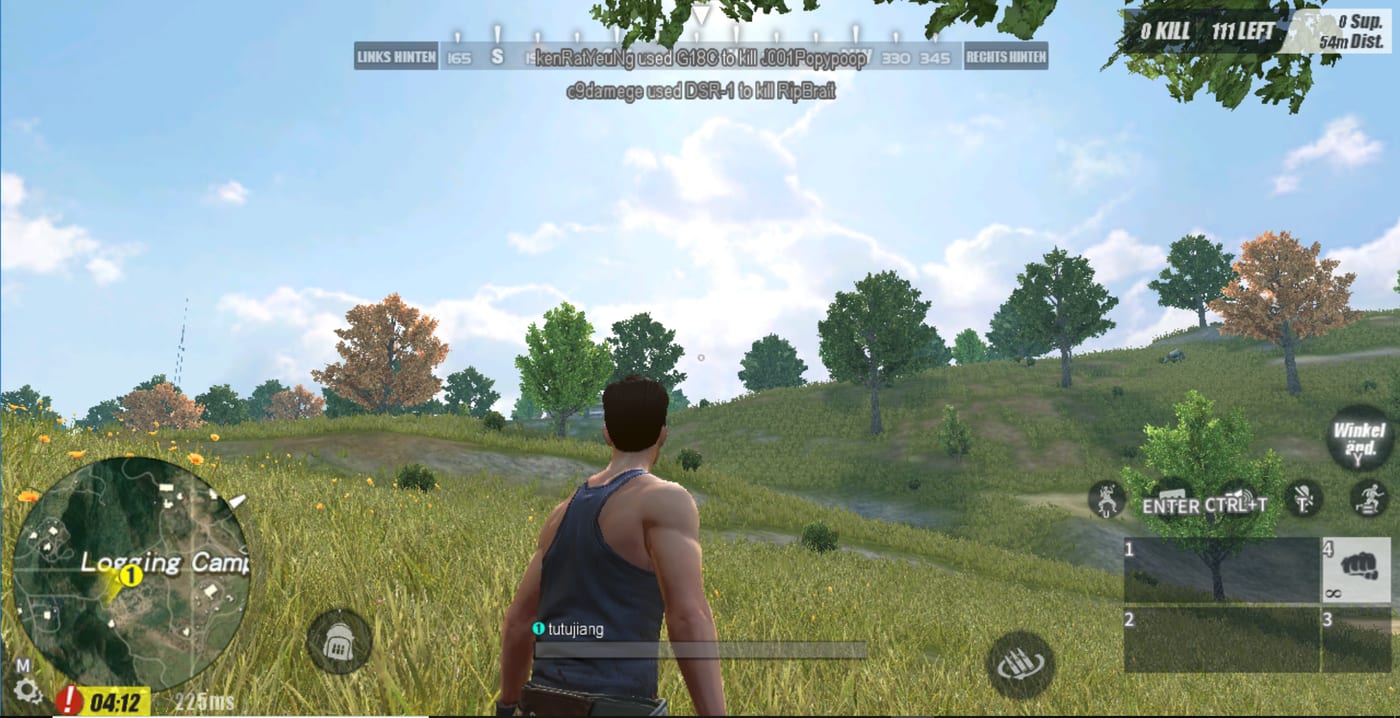
Battle royale wins are lost in final circles when frames dip during a peek or when grass settings hide an enemy three meters away. Rules of Survival Legacy is Under Development by Myth Games on PC, targeting classic 120-player matches with third-person gunplay veterans remember from the original Rules of Survival. Myth has not published final in-game graphics menus yet. This guide gives practical PC prep �?visibility-first settings philosophy, FPS stability, and network habits �?so when the client appears through the official Launcher guide, you tune once and play.
These recommendations combine classic ROS PC behavior, modern BR competitive norms, and hardware expectations from System requirements. Adjust when Myth posts confirmed options in test patch notes.
Competitive clarity over cinematic visuals
ROS-style BR rewards spotting enemies in windows, grass, and ridge lines. Prioritize seeing players over film grain, motion blur, or ultra shadows.
General priority order when menus exist:
Maintain stable FPS �?inconsistent frame times hurt tracking more than medium textures Maximize enemy visibility �?reduce shadows, post-processing, and heavy foliage where allowed Keep native resolution �?drop anti-aliasing before lowering render scale below 100% if GPU limited Disable motion blur and depth of field �?both obscure movement cues in third-person peek fights Limit unnecessary overlays �?Discord hardware acceleration conflicts are common
Exact toggle names will vary in Myth’s build. Treat this list as a decision order, not a guarantee of specific labels.
Estimated settings tiers by hardware
Until official benchmarks land, use these starting points:
Minimum-tier PC:
Overall: Low or Competitive preset if offered Shadows: Low or off first Effects and post-processing: Low View distance: Medium if stable; Low if late-game stutters Target: locked 60 FPS at 1080p
Mid-range PC (GTX 1660 Super / RX 5600 XT class):
Overall: Medium with manual tweaks Shadows: Low or Medium Textures: Medium鈥揌igh if VRAM allows Anti-aliasing: FXAA or TAA low; avoid heavy MSAA Target: 75�?44 FPS depending on monitor
High-end PC:
Push refresh rate over ultra shadows Cap FPS slightly below monitor max for input consistency Record test footage only with verified capture tools �?avoid sketchy “FPS booster” APKs or .exe mods from scam sites
FPS stability in 120-player lobbies
Large BR lobbies spike CPU load when circles compress many players into one hill. Mitigations:
Install on SSD �?reduces hitching when parachuting into dense towns 16 GB RAM recommended �?8 GB works at low settings but stutters with browsers and Discord open Close background apps before tests �?especially second launchers from fake download pages Update GPU drivers before Beta access guide windows �?short tests are not the time for driver experiments Use fullscreen borderless if alt-tabbing to Myth announcements; exclusive fullscreen can help lowest-end systems
If frames drop only in final circles, lower effects and shadows first �?not resolution �?to preserve target clarity.
Network settings and stability
Graphics guides often ignore packet loss, but ROS firefights punish bad networks harder than bad textures.
Prefer wired Ethernet over Wi-Fi for consistent peek timing Avoid VPNs unless Myth documents region requirements �?extra hops add latency Forward ports only if official docs require it; ignore random forum port lists Test during off-peak hours if your ISP buffers �?BR cannot fix local congestion
NAT issues may block voice or matchmaking in some revivals. Resolve router settings before a rare test session rather than mid-queue.
Sensitivity and settings synergy
Graphics mean little if mouse sensitivity fights your aim. Pair this page with Sensitivity guide and PC keybinds:
Set sensitivity once at your target FPS �?changing FPS caps later may alter feel slightly Disable mouse acceleration in Windows for consistent flicks Match ADS sensitivity to hipfire or use common ratio guides in the sensitivity page Rebind heal, crouch, and lean before tweaking film settings �?muscle memory first
Audio settings matter for visibility
Classic ROS players won fights on footsteps and vehicle engines before they saw models. When audio menus exist:
Prefer headphones over speakers for directional cues Reduce master music if it masks footsteps �?many BR titles separate channels Test squad voice vs game volume so Discord callouts do not drown gunfire
Audio complements Vehicle guide noise discipline �?you hear threats earlier with consistent levels.
What not to install while waiting
Scam pages advertise “ROS Legacy graphics mod APK” or “FPS unlocker download” for a game that is not publicly shipped. Myth’s project is PC-only Under Development. Third-party Android packages and unknown .exe boosters are unofficial and high risk.
Do not disable antivirus for fake launchers. Legitimate game clients do not require it.
Pre-launch checklist (before Myth’s client)
Compare hardware to System requirements Update Windows and GPU drivers; free SSD space Configure mouse, keybinds, and sensitivity using control guides Join Discord for tester spec discussions Read Launcher guide so first install uses Myth-controlled hosting only
Rumors citing July 25, 2026 as launch day are unverified without Myth confirmation �?graphics prep is useful regardless of rumor dates.
First hour with the real client
When test access opens:
Launch through verified installer only Set competitive visibility toggles using the priority list above Enter a training or low-pressure queue if available Note FPS in plane drop, town loot, and final circle �?tune once per scenario Lock settings for a week before chasing ultra textures
Record one clip per settings change. Memory lies; footage shows whether shadow drops actually help peeks on Ghillie-style terrain.
Related topics
Hardware estimates: System requirements Mouse feel: Sensitivity guide Keybinds: PC keybinds Official install: Launcher guide Gameplay loop: How to play Rules of Survival Legacy
Graphics settings for Rules of Survival Legacy will finalize when Myth ships menus you can screenshot and share. Until then, build a stable, visible PC baseline �?the kind that makes Circle strategy guide and How to win executable under pressure.
Frequently Asked Questions
Quick answers to the most common questions.
Are these official Myth Games graphics settings?
Not yet. Myth has not published final in-game menus. This guide offers competitive visibility priorities and hardware-tier starting points until official options are documented in test builds.
What should I lower first for more FPS?
Shadows, post-processing, and effects first. Keep native resolution and reduce anti-aliasing before dropping render scale. Competitive BR favors stable FPS and enemy visibility over ultra textures.
Does Rules of Survival Legacy support ray tracing?
Unknown. Myth has not announced visual feature targets. Focus on stable frame times and clear silhouettes until official patch notes confirm advanced rendering options.
Can I use graphics mod APKs on PC?
No. APK files target Android and are unrelated to Myth's PC client. Third-party mod installers are unofficial, often malicious, and violate typical anti-cheat policies.
How much RAM do I need for smooth late-game circles?
16 GB is strongly recommended with Discord and a browser open. 8 GB may work at low settings but often stutters when many players compress into the final zone.
Should I tune sensitivity or graphics first?
Set keybinds and sensitivity first using the control guides, then lock FPS and visibility settings. Changing FPS caps after aim training can slightly alter mouse feel.