Rules of Survival Legacy Classic ROS PC Keybinds
Keyboard and mouse bindings veterans used before shutdown—rebind when Legacy ships official defaults.
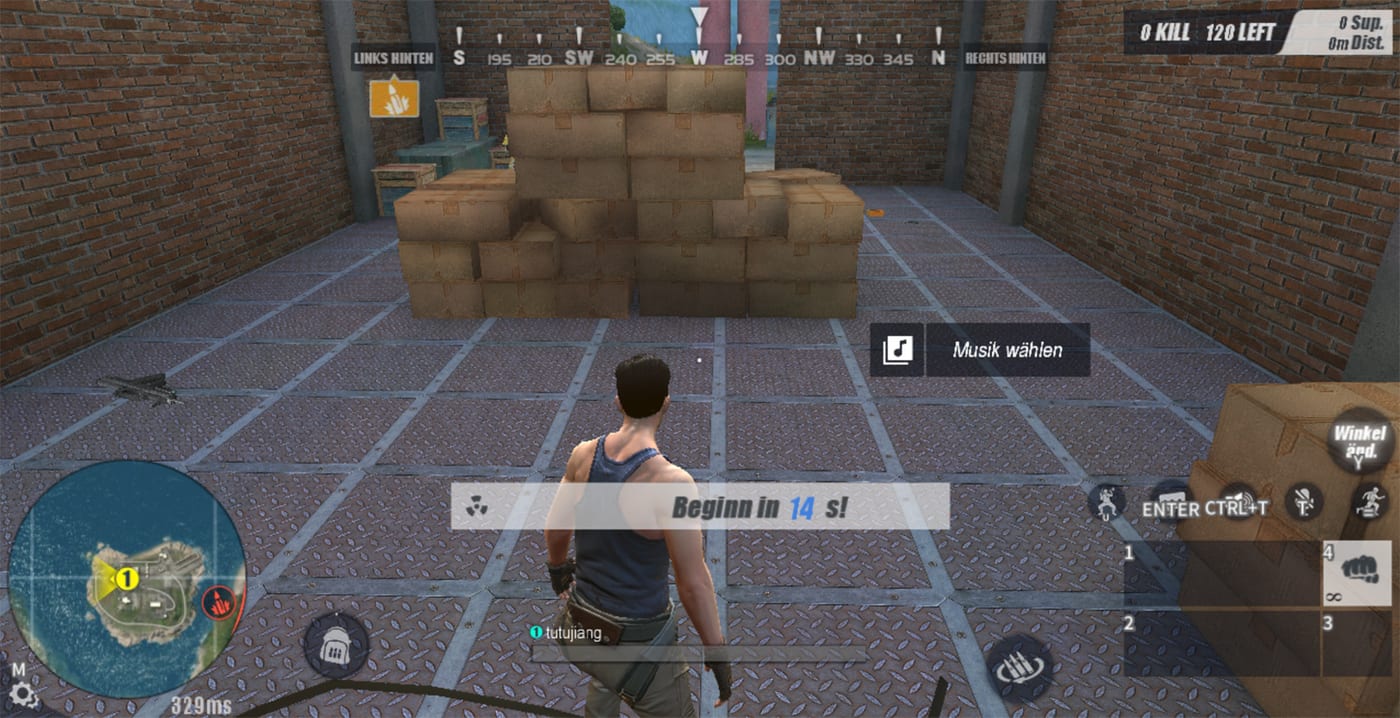
Rules of Survival Legacy is Under Development at Myth Games for PC. This keybind reference summarizes classic ROS PC client defaults and community-preferred overrides from before June 27, 2022 shutdown. Myth Games is not NetEase; Legacy has not released, and there is no official APK. Treat every binding as prep—you will reconcile against Myth Games settings menus at launch via Discord announcements.
The embedded video shows Myth RoS Legacy lean movement and inventory UI from pre-alpha coverage—map those systems onto the bind tables below once Myth publishes official defaults.
Strong keybinds accelerate loot routes on Ghillie Island, vehicle escapes on Fearless Fiord, and weapon swaps between S-tier rifles mid-fight. Your bind setup is the infrastructure that executes every strategic decision in combat.
Movement and Stance
Classic ROS PC movement used WASD with space for jump. Crouch (C) was critical for the shoulder peek meta that dominated high-level play. Peek speed depended on mouse deceleration settings and the balance between your ADS sensitivity and base sensitivity. Players who mastered the peek-crouch-ADS combo could beam opponents while exposing minimal hitbox.
The prone key (Z) saw less use in combat but mattered for setting up ambush positions in compounds like those found in the Dust Quarter map. Binding prone to an accessible key let players quickly drop behind cover when caught in open terrain.
Combat and Weapons
Weapon swap speed defined fights when upgrading Thompson to M4A1 off a crate. Place primary weapons on 1 and secondaries on 2 for quick access. Avoid binding swap to distant keys that require finger gymnastics during firefights. The Q and E keys worked well for med usage without removing fingers from movement keys.
Reload cancel was essential for competitive play. Binding reload to R while also having quick access to weapon swap let players cancel unfavorable reload animations when a third party interrupted a fight. Practice reload-cancel in training mode until it becomes muscle memory.
Inventory and Looting
Hot-drop routes fail when interact sits on an awkward key—move F to a thumb button if your mouse has side buttons. The faster you can pick up weapons and attachments, the better your chances in the initial scramble for loot. In high-tier loot areas like Observatory or Military Base, every millisecond of loot speed matters.
Parachute and Match Flow
Freefall and parachute controls in classic ROS used mouse pitch/yaw for direction and W for speed boost. The airplate mechanic—the brief period where your character stands on the wings of the parachute—was unique to ROS and allowed fast horizontal travel. Mastering airplate angles could shave seconds off long-distance drops.
Vehicles
Fearless Fiord rotations assumed vehicle fluency. The land vehicle physics in classic ROS were forgiving compared to some competitors, but roll mechanics could still trap careless players. Practice exit-to-ADS in training when Legacy adds a range mode. Vehicle combat—shooting from windows while your driver evades—required dedicated practice sessions.
Communication and Squad
Link comms habits with Getting Started squad onboarding. Binding ping to middle mouse let you mark enemies, loot, and vehicle positions without speaking. In noisy environments or when playing with randoms, pings communicated faster than voice callouts.
Recommended Override Layout for Legacy Prep
Competitive ROS PC players often converged on these overrides:
- Interact: F to mouse button 4 for thumb accessibility
- Crouch: C to Left Ctrl for index finger reach
- Sprint: Shift to toggle on Caps Lock (optional, saves finger strain)
- Heal keys: Q and E on side keys or keyboard for simultaneous strafe/heal
- Map: M unchanged; ping on middle mouse for quick marking
Document your overrides in a text file so launch-day rebind takes minutes, not hours. Screenshots of your keybind screen serve as backup documentation.
Sensitivity Recommendations
Classic ROS PC players typically used 800 DPI with in-game sensitivity between 40-50 for general play, with lower sensitivity (25-35) for sniping. The exact numbers depended on mouse pad size and personal preference, but consistency mattered more than absolute values. Test in the training area before live matches.
Launch Day Checklist
When Myth Games releases Legacy PC:
- Screenshot Myth Games default binds immediately
- Map differences versus this classic table
- Import personal overrides incrementally—one category per session
- Re-test sensitivity after any ADS toggle change
- Share optimal PC layouts on Discord after public tests—help the wiki update
Keybinds do not replace game sense. They execute plans from drop location tiers and future builds. When you land Observatory with a squad, everyone needs parallel loot binds, mark keys, and vehicle exits—or you lose the S-tier spawn to a team with cleaner setup.
Frequently Asked Questions
Quick answers to the most common questions.
What is the most important keybind in classic ROS PC?
Interact/pickup (default F) was the most critical bind because slow looting lost hot drops. Many veterans moved it to a mouse side button for faster access during intense firefights.
Should I use toggle or hold for ADS?
Most classic PC players used hold right-mouse ADS for tracking consistency. Sniper specialists sometimes toggled for steady 8x holds on Fearless Fiord ridges where a stable aim line mattered more than snap speed.
Will Legacy support full key remapping?
Myth Games has not published final settings menus. Expect PC remapping, but verify after launch rather than assuming one-to-one classic parity. Community feedback after initial tests will clarify the extent of customization.
How do keybinds affect weapon tier performance?
Faster swap and reload cancel let you leverage S-tier guns immediately. Poor binds make even ACR feel sluggish during third parties. Muscle memory for weapon swaps should be automatic before combat starts.
Do emulator binds match native PC?
Emulator layouts varied significantly. This guide targets keyboard-mouse PC preparation for Myth Games Legacy, not mobile emulator mappings which use touch overlay systems.
Where should I put heal keys?
Place med binds on keys reachable while strafing—common choices include Q, E, or mouse side buttons—so you can heal during peek fights without breaking your aim line.
What sensitivity works best for Legacy recoil control?
Classic ROS PC players commonly used 800 DPI with in-game sensitivity between 40-50 for ARs. Test your setup in training mode before live matches to find your personal tracking sweet spot.
How should I bind vehicle controls?
Standard ROS vehicle binds used WASD for steering, space for handbrake, and shift for acceleration. Some players added lean keys for shooting from windows while maintaining vehicle control.